AI Agents Need Access to Your Business Systems. Who Should Hold the Keys?
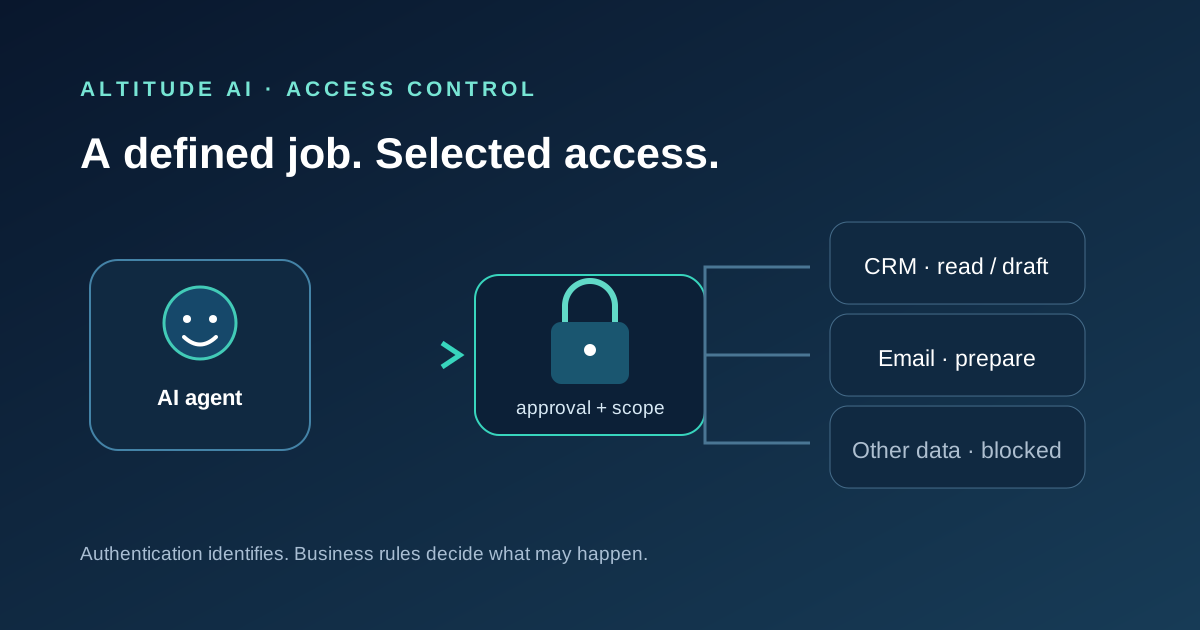
An AI agent can only complete useful work when it can reach the systems and information involved. But authentication answers only who—or what—is signing in. It does not decide whether that agent should read a customer record, send an email, change a price or issue a refund. Those are business authority decisions.
Why an agent needs access to do real work
A chatbot without access to business information can still explain general concepts, but it cannot reliably answer a customer question from the latest approved policy, update a CRM record or prepare a response using the right account history. To perform a workflow, an agent may need selected email, calendar, CRM, accounting, document or customer-service information. Each connection can improve usefulness, but it also makes the agent part of the organisation’s operational environment.
That is why access should be planned around a specific task rather than granted because an integration is available. Start by describing the work in ordinary business language: what starts it, what information is required, what result is expected and where a person must decide. Then identify only the systems and data needed for those steps. If a process can be tested with sample or read-only information first, do that before using live customer records.
What 1Password announced—and what it does not solve
On 22 October 2026, 1Password announced “1Password for Agents”, a way for supported personal AI agents to request credentials from a user’s vault. The company says a user can approve a request and 1Password fills the credential at the destination without exposing the password or one-time code to the agent. The announcement named integrations it described as available and others it said were coming soon; those statuses are time- and product-specific, not a promise that every agent or business system is supported.
This is a vendor announcement about credential use, not proof that every access risk disappears. A password manager may help keep a secret away from an AI model, but it does not decide what data the agent should see, whether a requested action is appropriate, what happens after sign-in, or whether the resulting work is correct. Verify present availability, supported operating environments, administrative controls and terms before relying on a specific product for a business workflow.
Authentication is not authority
Identity establishes which user or service is connecting. Authentication checks that identity. Access control determines which resources it can reach. Authority defines what it may do with them. Monitoring records what happened; revocation removes permission when it is no longer needed. These are related controls, but one does not replace another. A successful sign-in is not an approval to perform every action available to the signed-in account.
For example, an enquiry-handling agent might read new messages, classify them, search a small set of approved answers and prepare a reply for review. It may need permission to create a draft, but not to send messages to all contacts, delete records, alter service prices or access unrelated files. In a finance workflow, reading invoices is different from editing supplier bank details or releasing a payment. Scope each permission to the job and treat write access as a separate decision.
Write the agent a job description
A practical agent role should name its owner, purpose, allowed inputs, permitted actions, prohibited actions, approval points, expected output and escalation route. Define what happens when information conflicts, confidence is low, a request is outside scope or a user asks for a consequential exception. Avoid vague instructions such as “manage customer service”. A narrower role—such as preparing replies to a defined category of routine enquiry—can be tested and measured more clearly.
Choose access that matches the role. Where the platform supports it, use a dedicated identity rather than a staff member’s broad personal account; limit the resources it can reach; avoid shared administrator credentials; and set time limits or conditions for access. Confirm how activity is logged and how access can be suspended. These are design questions for the systems in use, not assumptions that every SaaS platform offers the same controls.
Test behaviour before connecting live systems
Test with realistic but safe scenarios: incomplete records, conflicting instructions, urgent requests, malicious text embedded in a document, a customer asking for an exception and a service outage. Check whether the agent stays within its role, identifies uncertainty, requests approval when required and leaves a useful record. Test both the intended route and the ways a workflow might fail. A successful demonstration with a clean sample case says little about unusual or adversarial cases.
Plan human oversight around impact. Set approval thresholds for sending external messages, changing records or taking financial action. Monitor errors, exceptions and access patterns. Decide who reviews the logs, how often permissions are reconsidered, and who can stop the process quickly. Keep a route for correction and customer support. Controlling AI agents before they access business systems covers permission design; here the emphasis is connecting access to a defined operational job.
Start narrow and expand only on evidence
Measure completion time, accuracy, correction effort, exception frequency, user experience and the cost of ongoing review. Include integration, training and maintenance, not just the agent subscription. If staff need to double-check every result or repair frequent mistakes, the business case may be weaker than the demonstration suggests. If a pilot is useful, expand in stages, reassessing access and authority at each step rather than copying the original permissions into a broader role.
An AI agent needs a defined job, clear authority and effective supervision—not unrestricted access to every business system. The Altitude AI Discovery Review can help organisations define responsibilities, workflows, governance and measurable outcomes. Altitude IT can assess technical identity, access and integration security where appropriate.